Indestera

Use cases

Which process would you like to hand over?

Every business has its own way of working. These six processes show, with real screens, how each can be shaped around yours.

Customer care

Return requests settled the same day

Your customers get an answer at once, and your team focuses on work that adds value.

Flow · Customer care
Return request flow in Studio: portal request, order and warranty from the ERP, return policy, returns agent, decision schema, amount policy, customer care approval, return label, ERP refund and customer notice
  1. 01A return request arrives
  2. 02Order and warranty are verified
  3. 03The agent assesses the photo
  4. 04The amount exceeds the limit
  5. 05Customer care approves
  6. 06Return label and refund are created
  7. 07The customer is notified
  1. Today

    Photo, invoice and warranty are checked separately, and the customer waits days for an answer.

  2. With Indestera

    The agent assesses and settles the request, and passes returns above the approval limit to an approver.

  3. Result

    Your customer gets an answer the same day and stays loyal, and every decision is on record.
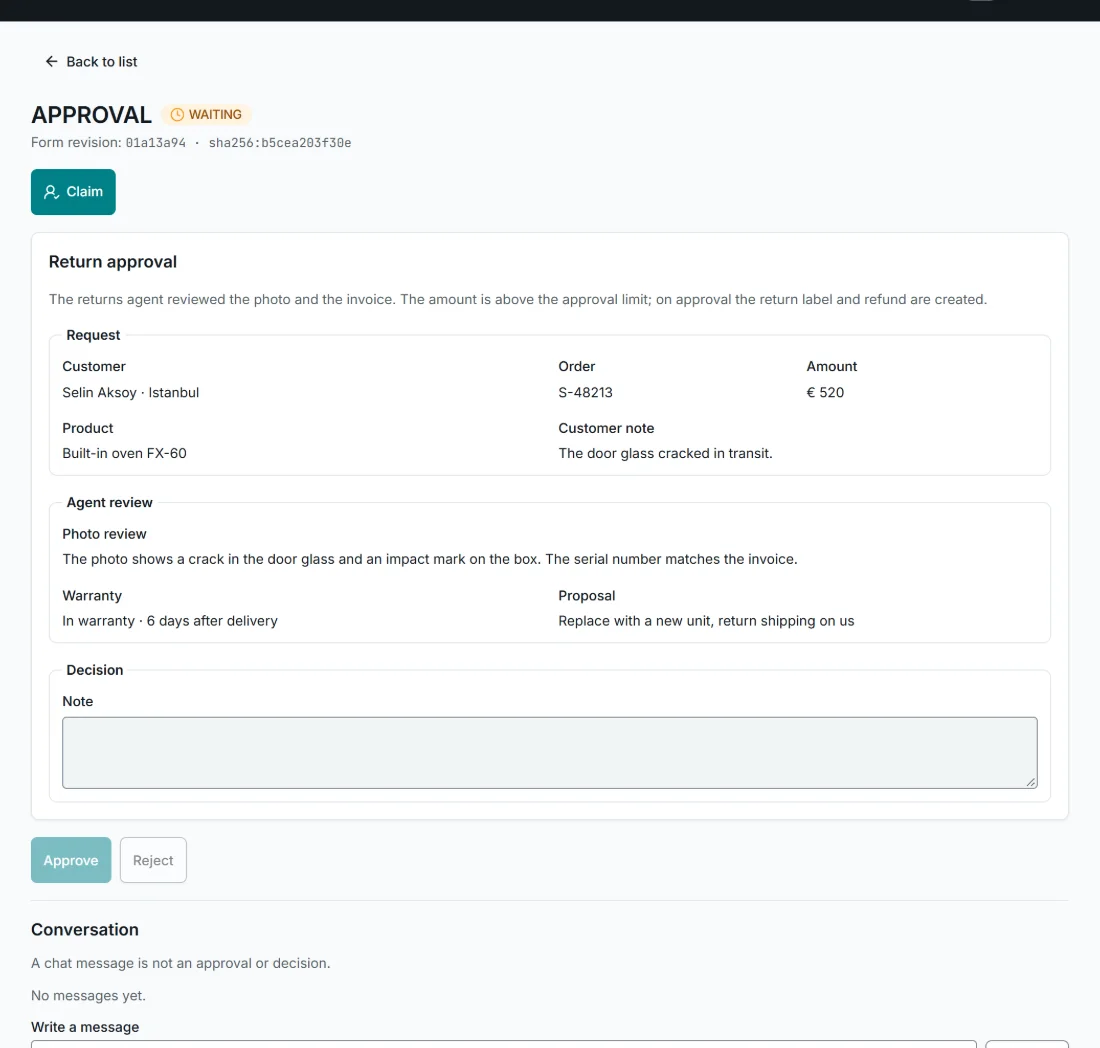
Return approval task in Engage: customer, order, amount, product, the agent's photo assessment, warranty and proposal

Sales

Quotes prepared on the day they are requested

The fastest quote wins, and yours reaches the customer the same day.

Flow · Sales
Quote preparation flow in Studio: quote request by e-mail, price and stock from the ERP, lead time from the production plan, sales agent, quote schema, discount policy, sales manager approval, CRM record and sending to the customer
  1. 01A quote request arrives by e-mail
  2. 02Price, stock and lead time are checked
  3. 03The agent prepares the quote
  4. 04The discount limit is exceeded
  5. 05The sales manager approves
  6. 06The quote is recorded and sent
  1. Today

    Items in the request are looked up one by one, and price, stock and lead time come from different teams.

  2. With Indestera

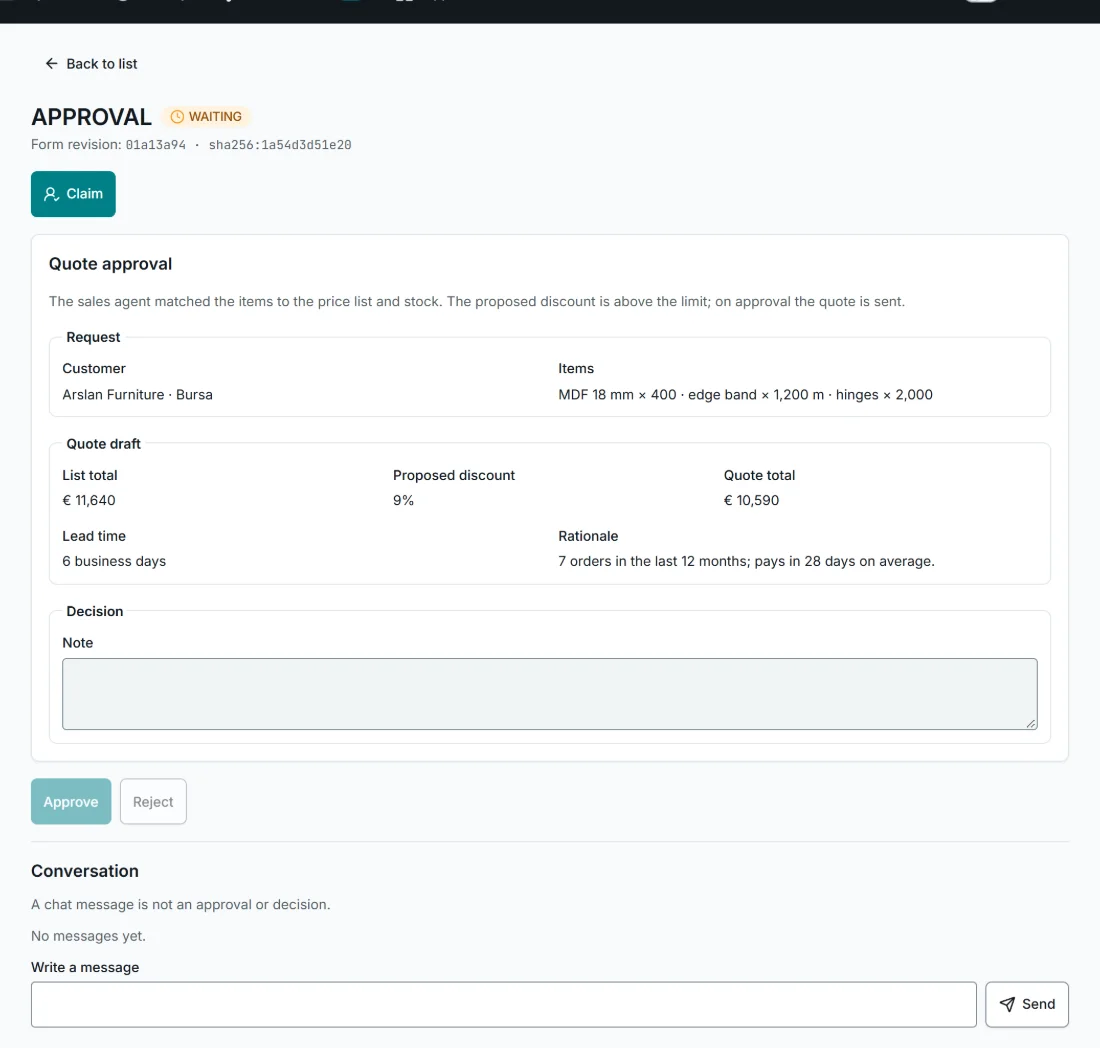
    The agent matches items to the price list and stock and prepares the quote; above the discount limit it goes to the sales manager.

  3. Result

    Your quote reaches the customer before your competitors' do.

Quote approval in Engage: customer, items, list total, discount, quote total, lead time and rationale

Supply chain

Supplier delays managed in time

Customer trust stays strong: the options are ready, the call is yours.

Flow · Supply chain
Supplier delay flow in Studio: supplier date change, affected orders from the ERP, alternative supplier stock, planning agent, option schema, planner task, ERP update and notices
  1. 01The supplier postpones delivery
  2. 02Affected orders are identified
  3. 03The agent prepares two options
  4. 04The planner approves an option
  5. 05Orders are updated in the ERP
  6. 06Customers are given the new date
  1. Today

    When a delivery date changes, affected orders are found by hand and the customer learns of the delay late.

  2. With Indestera

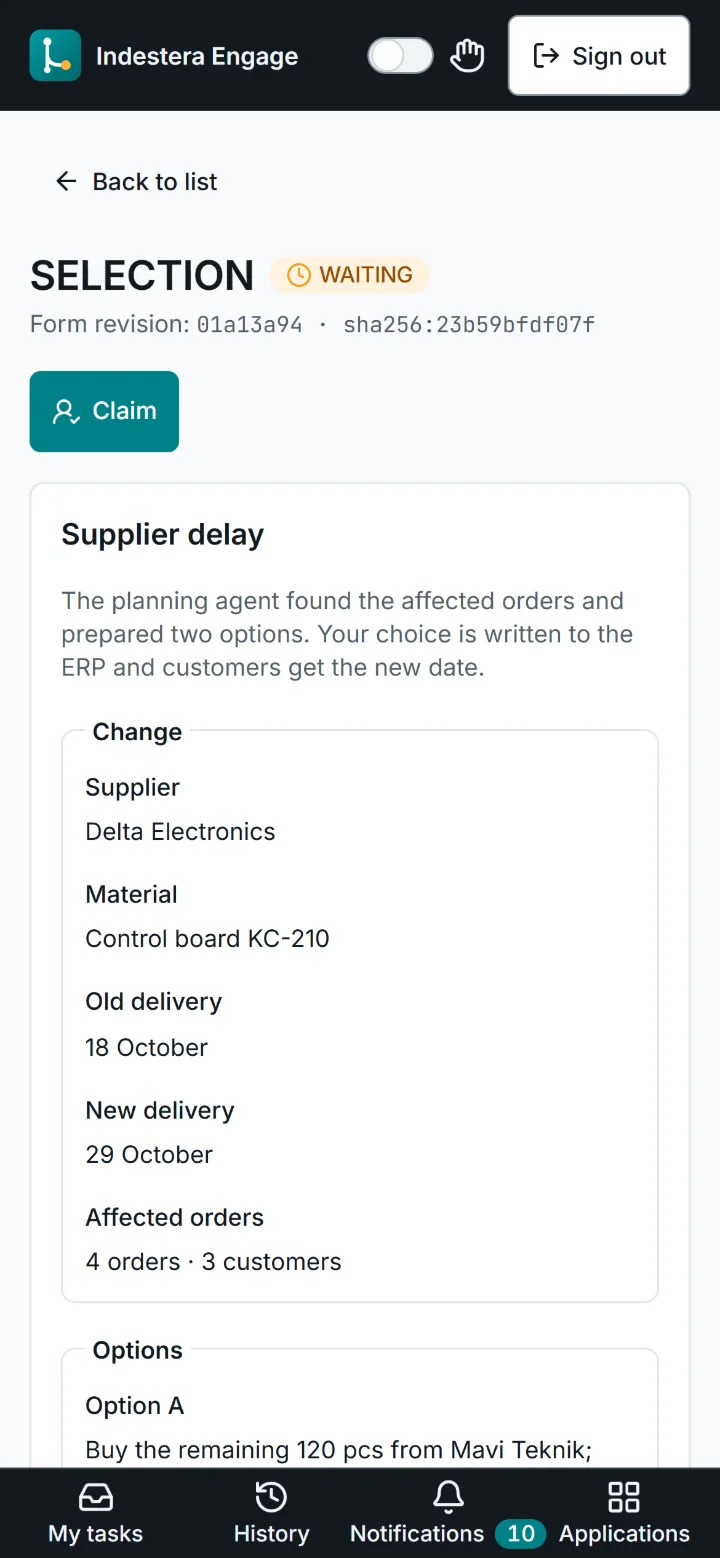
    The agent finds the affected orders and alternative stock and prepares two options; the planner approves one of them.

  3. Result

    Customers learn the new date in good time, and their trust in you grows.

Supplier delay task on a phone: supplier, material, old and new delivery date, affected orders and options

Energy and facilities

The power limit holds at peak times

Peak costs fall while production runs at full speed.

Flow · Energy and facilities
Energy peak flow in Studio: power demand signal from the main switchboard, load profile, tariff, energy agent, load plan, load policy, facility manager approval, cooling set point, compressor sequence and savings record
  1. 01Demand approaches the limit
  2. 02Load profile and tariff are reviewed
  3. 03The agent identifies deferrable loads
  4. 04The setting change needs approval
  5. 05The facility manager approves
  6. 06Cooling and compressors are adjusted
  7. 07The saving is recorded
  1. Today

    Demand nearing the contracted limit is noticed late, often after the high tariff has started.

  2. With Indestera

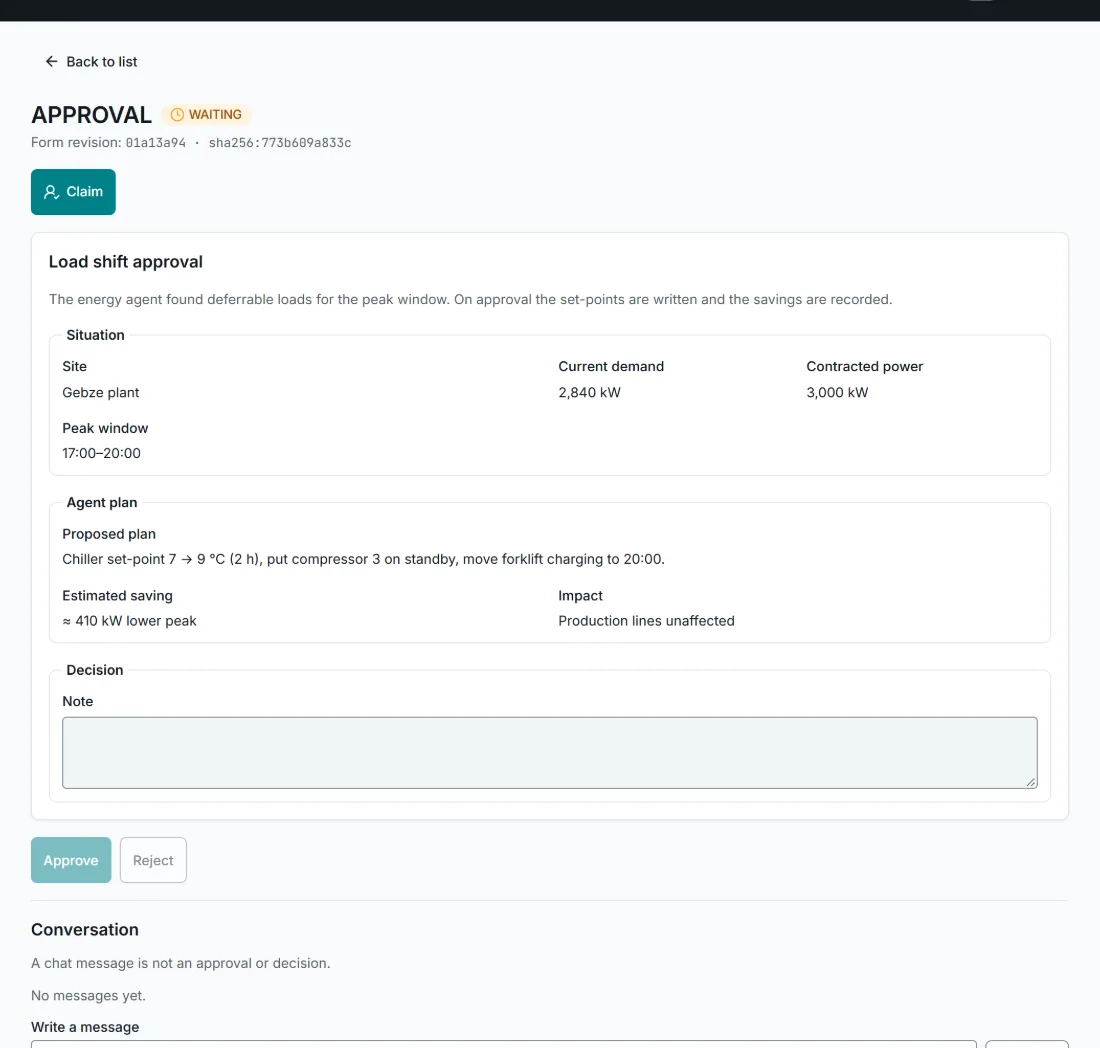
    The agent reviews the load profile and tariff, identifies deferrable loads and applies the settings once the facility manager approves.

  3. Result

    Your peak costs fall and your production plan stays unchanged.

Load shift approval in Engage: site, current demand, contracted power, peak window, proposed plan and estimated saving

Quality

Every weld seam is inspected

Only flawless parts reach your customers, and every good part is put to use.

Flow · Quality
Weld seam inspection flow in Studio: part signal from the robot cell, camera, weld seam model, inspection decision, divert part, defect counter, quality technician task and MES inspection record
  1. 01A part leaves the robot cell
  2. 02The camera captures, the model inspects
  3. 03The seam is flagged as doubtful
  4. 04A quality technician decides
  5. 05The decision is recorded with the part number
  1. Today

    Sample inspection catches defects late, and cautious checks set good parts aside as well.

  2. With Indestera

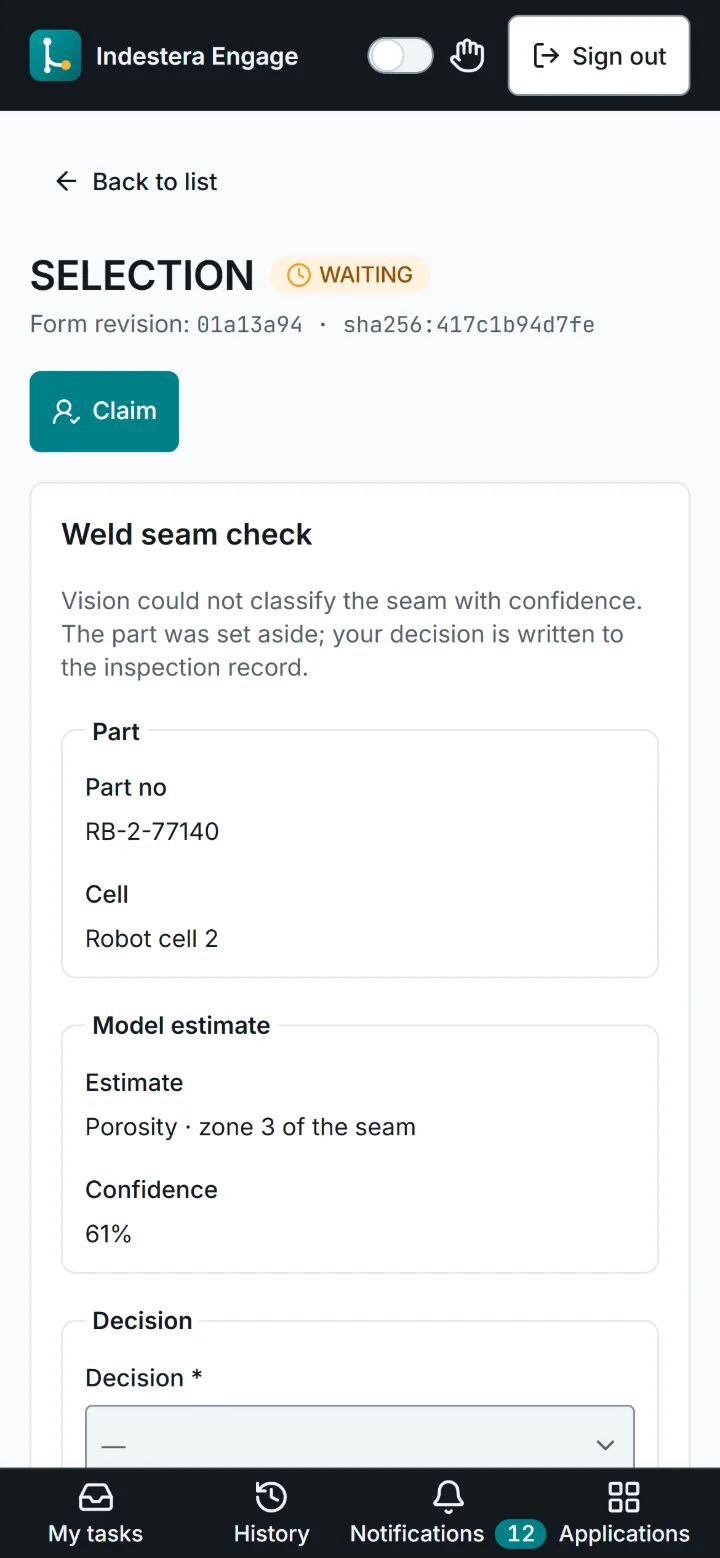
    A camera captures every part and a model inspects the seam; unclear cases are passed to a quality technician.

  3. Result

    Every part leaves the line with assured quality, and scrap and return costs fall.

Weld seam check on a phone: part number, cell, model estimate, confidence and decision options

HR and IT

New employees ready from day one

New employees are productive from day one, with access kept under control.

Flow · HR and IT
Onboarding flow in Studio: new employee from the HR system, role and access matrix, IT agent, access plan, access policy, IT manager approval, Entra ID accounts, device request and Teams welcome message
  1. 01HR registers the new employee
  2. 02The role and access matrix is reviewed
  3. 03The agent prepares the access list
  4. 04The list includes critical access
  5. 05The IT manager approves
  6. 06Accounts are created, a device is requested
  7. 07A welcome message is sent
  1. Today

    Accounts are requested by e-mail, access ends up too narrow or too broad, and the first week is spent waiting.

  2. With Indestera

    The agent prepares the accounts and access list from the role matrix and obtains IT manager approval for critical access.

  3. Result

    New employees start day one with every tool they need, and each permission is recorded with its reason.

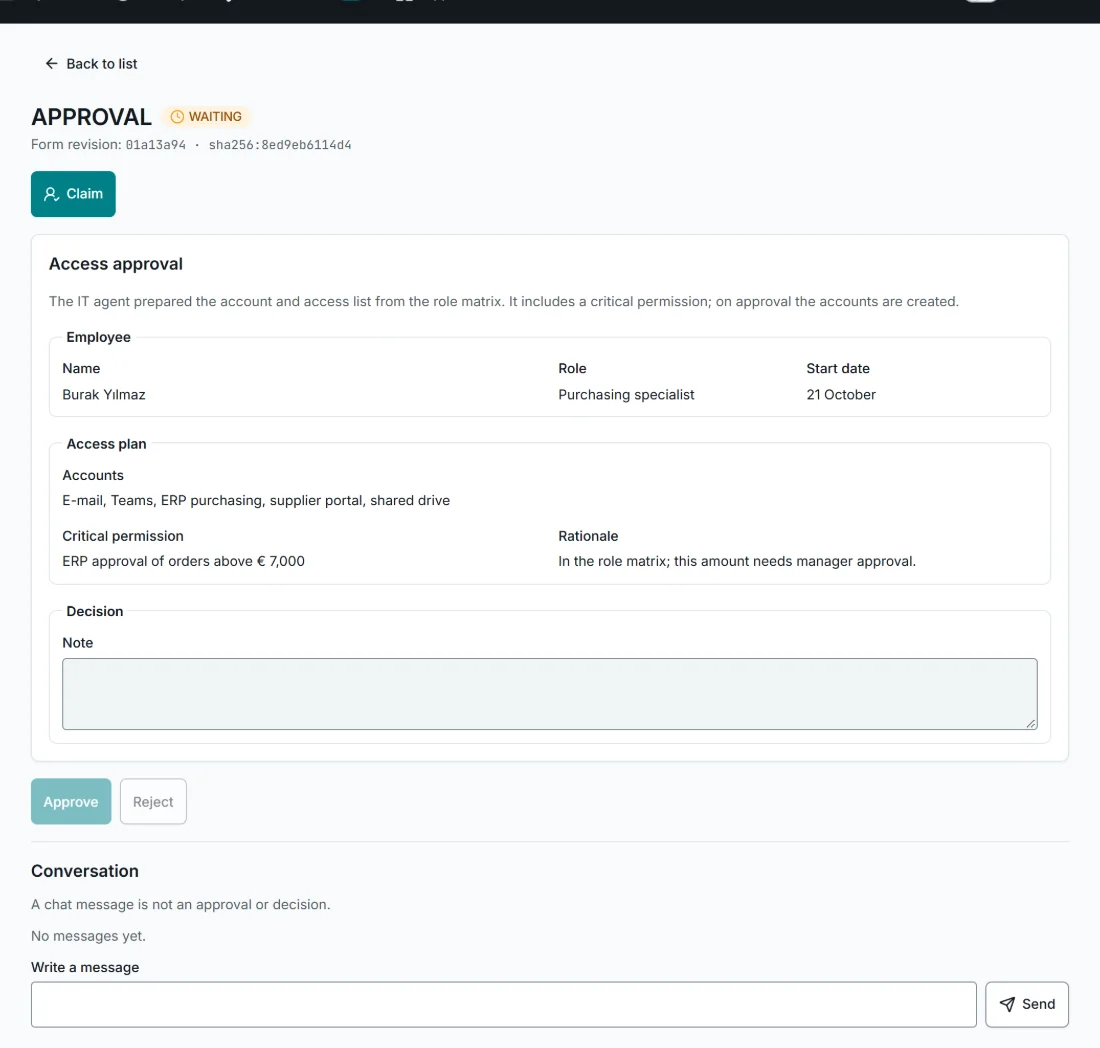
Access approval in Engage: employee, role, start date, accounts to create, critical access and rationale

Let's build your first agent together.

In thirty minutes we take one of your processes, build an agent tailored to it and show it running.

Book a demo